If you are a fan of Google Maps, you can help out the world and get some benefits like upgrading your Google Drive storage. I have used and contributed a bit to Yelp, Gowalla, and Foursquare in the past, but fell out of like with them all. I’m usually out and about with a camera of some sort, so why not contribute a photo or a review every now and then? These screenshots are from tonight’s review of Shake Shack in the Domain – my first burger here. If you want to learn more about Google Local Guides, check out their website. If you become a super Local Guide and get invited to a cool party or get Google Drive upgrades or other free stuff, then you can thank me later. 🙂
Tag Archives: Screenshot
Apple Music Android App
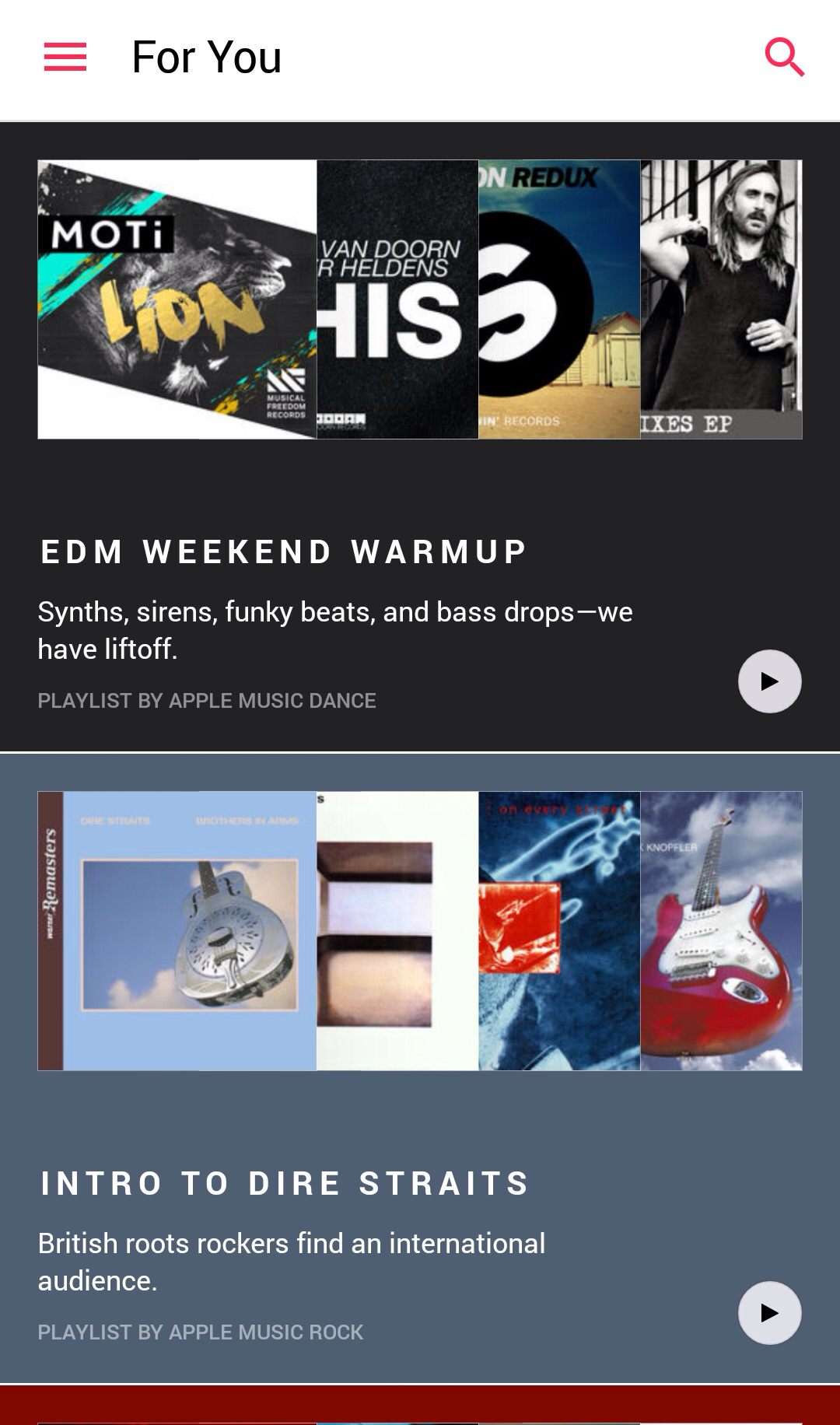
If you didn’t try Apple Music because you have an Android phone and not an iPhone, now’s your chance. The App is in a Beta form in the Google Play Store. I installed it to give it a try. I think you can still grab the deal for a three month trial, too. For me today, it is recommending some EDM music or maybe some Dire Straits. I think I will try one of these on my way home this evening. 🙂
Hay Day
Bedridden
This broken tooth has been one of the most painful events of my life. I have been mostly sleeping all day, because that seems the best way to cope. In between long naps, my iPad has kept me company. Take some pills, watch Netflix, cruise social media sites and play a few simple iPad games like Star Wars Commander. That is my life today.
Instagram is for Squares
Please don’t hate me, but I have been experimenting with Instagram lately. It is sort of like a blog that allows for a single photo with some associated text. I have fallen for several accounts including National Geographic and National Geographic Travel (standard accounts everyone should follow). I used to hate that you couldn’t post a full photo, but were restrained to a square format for pictures. These links will help to describe the relatively new and simple functionality whereby you can post most any sized photo (Link 1) and (Link 2). They just show up as square images on one version of your personal feed, but are normally sized everywhere else on the App. If you are a fan of Instagram, or would just like to check it out, look for earthrobert on the site, and don’t be a square. 😛
Periscope Couch Mode
Note – First time ever to draw on the iPad. My art skillz are the greatest! 🙂
For my internet friends who love Periscope, they have a secret called Couch Mode. It is meant to be used on a desktop computer without access to the Periscope App. You launch this mode in your browser (www.periscope.tv/couchmode), and then you can flick through a random feed of Periscope streams. Totally fun, and you have no idea what stream will be next. Be careful, as this is the internet after all. I hope you enjoy it!
Windows 10 Upgrade
Tomorrow is the first availability for upgrading to Windows 10. Back in early February, I wrote a blog about testing Windows 10 Technical Preview. As of today, I cannot recommend upgrading to this operating system. My top 3 reasons are below.
1. The Microsoft Store
There are just not enough apps in the store yet as compared to Apple and Android. For example, my two favorite apps lately (WordPress and Periscope) are not available. I say wait until the Microsoft Store is more completely populated.
2. Automated Updates
I am not sure that I can endorse a Microsoft operating system that forces a computer to accept updates as pushed out by Microsoft. If you search their support site, you can find a utility that will allow you to temporarily remove problematic updates, but there is not yet a way to deny updates from installing at the start.
3. Time and Patience
There is still plenty of time available (one year) until the free update offer expires. My vote is to be patient and give it some time. Wait and see how some of the early adopters are doing, read some reviews, and decide for yourself when the time is right to upgrade if you decide this is best for you.
Apple Music
Anyone else out there trying the new Apple Music? They currently have a free, three-month trial membership going on. I am liking it so far and need to try the feature where you can save music from the collection for offline listening. Given a little time, I could build out a nice, energetic playlist for walking. If I get a good one going, I will post it somewhere to share. Let me know if you have a favorite playlist of your own, and I will give it a listen.
Periscope Map View
Periscope keeps getting cooler, and I get more and more addicted to the App. I can hardly fall asleep now without watching an episode of “Sock Cop” to see Tug Boat, Popsicles, Mills Motors, some Doo Doots, Parkours, and Dr. Peppers. The best new feature (on iOS only for now) is the Map View. I have provided a few screenshots to give you an idea of how it works. You click on the globe icon, and you are presented with a world map and choices for some periscopes you can watch that are originating in that specific part of the world. I can go to Miami, Amsterdam, Cancun, Rome, Honolulu, or anywhere else at the touch of the screen, and see what someone is doing and broadcasting at that moment. If I am planning a trip, I can maybe find a friendly local and ask them for advice about their city. The second screenshot is an example of zooming in on the current activity in Austin. I can even choose geographical areas of the city to see what people are broadcasting from the North side, for example. Keep innovating, Periscope People, and I’m sure I will return each evening to see what’s new in the world.
Google Photos
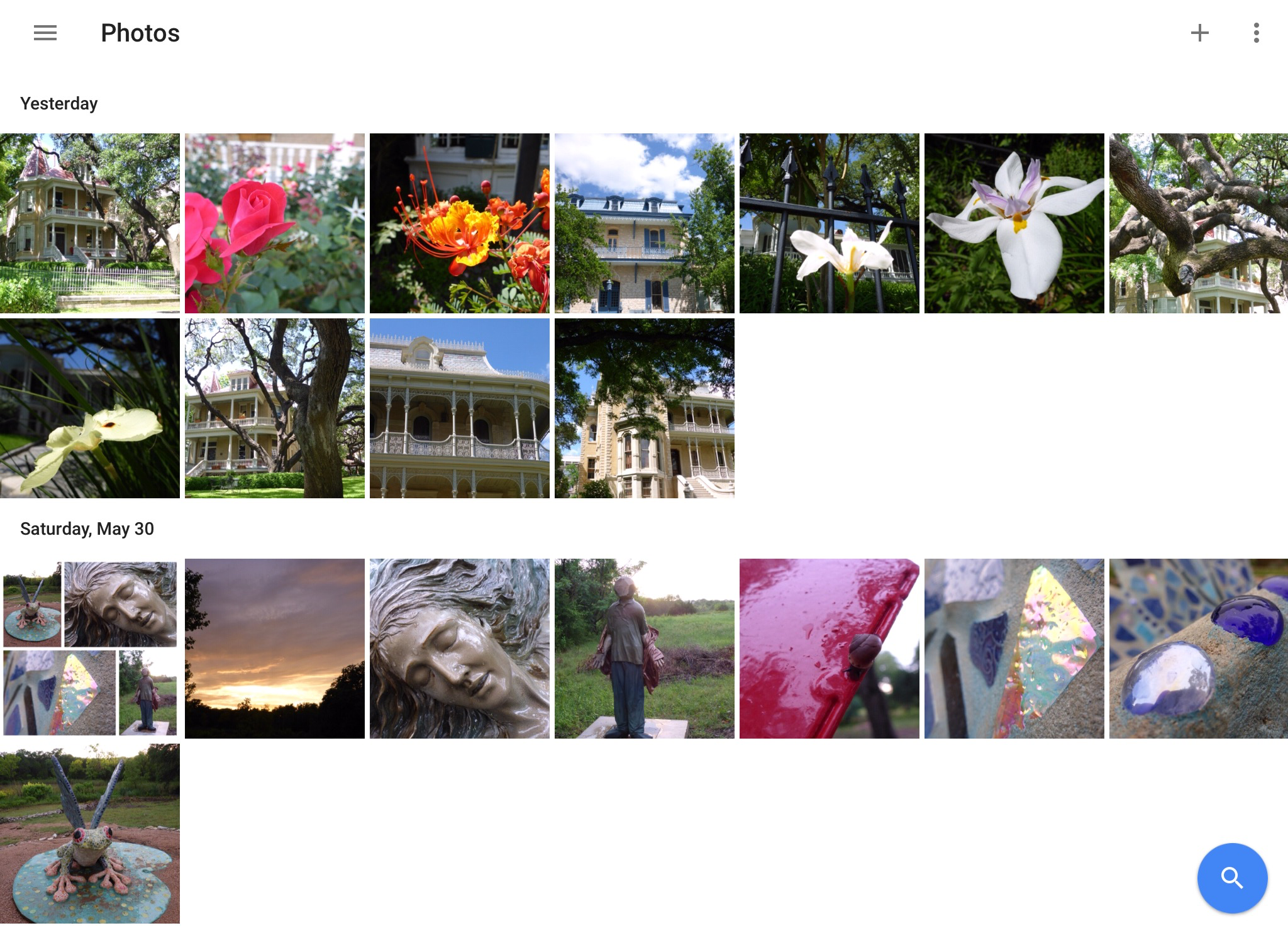
Remember that time, not so long ago, when I hiked the Canyon Overlook Trail at Zion National Park in Utah and took some crazy awesome pictures with my cell phone? Now, thanks to Google Photos, I do. This new App was recently introduced for Android, iOS, and desktop computers, and I have been having some fun with it. Give it a try if you need to backup, organize, search, edit or store some of your photos. You can thank me later… 🙂